|
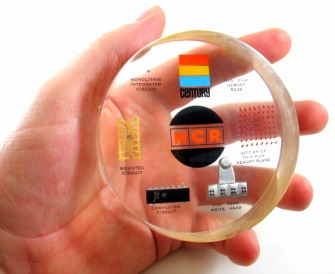 A neat NCR Technology Paperweight. But, how old is it? |
The Technology company associated to a particular memorabilia item often can by identified quite easily because the company logo is included, or there is a mention of the company on the item. The whole purpose of the memorabilia item was to promote the Company and the product. But sometimes the items embedded inside are not clearly stated or recognizable. More often that not the date that the item was produced is not stated on the item.
For this section on researching memorabilia we are going to use an NCR computer technology paperweight as an example. It clearly states it is from NCR. There are Integrated Circuits & other computer related components embedded inside with some basic descriptions but there is no date stated on the piece. One key clue to its age is the Century logo that is directly above the NCR logo.
Curiosity also pushes us to discover what exactly are each of those components embedded inside the piece. How do they all tie into the big picture with what NCR was trying to promote by creating this interesting sales piece?

Wherever you see this icon on this page, our custom web search forms are available for you to use while doing research on your own items!
Lets get researching...
1. Check Wikipedia!
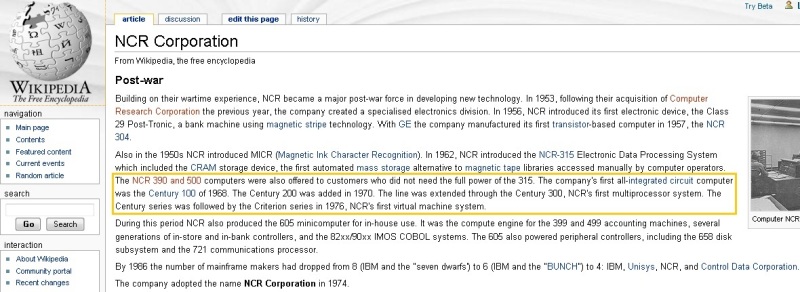
Wikipedia page on NCR shows Century Computer information
Wikipedia is today's Encyclopedia on the internet. It is usually your best place to start for accurate research information.
More detailed information can often be found from searching keywords pulled out of Wikipedia (searching for "Century Computer NCR" in our example) which can often turn up further information than what can be found in other personal and corporate websites.
More detailed information can often be found from searching keywords pulled out of Wikipedia (searching for "Century Computer NCR" in our example) which can often turn up further information than what can be found in other personal and corporate websites.

|
|
2. Look for Date Codes on Chips, Transistors, and other Electronic Components
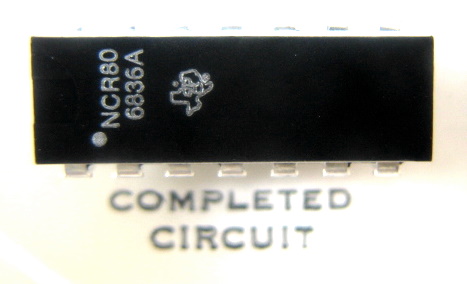
Datecode of NCR IC showing 6836A (36th week of 1968). TI part #NCR80
Useful research information can be found by looking at the information typically printed on Electronic Components including Chips and Transistors.
Information often includes Manufacturer name and/or logo, part number & the date the part was manufactured.
Typical Integrated Circuit Identification from markings:
Line 1: Manufacturer's Name or Identifying Logo
Line 2: Part number *
Line 3: date code, and other coded information *
(YYWW format: last 2 digits of year/2 digit Workweek)
(WWYY format: 2 digit Workweek/last 2 digits of year)
* Lines 2 and 3 are sometimes reversed
Search Semiconductor Datasheets by Description or Part Number:
Information often includes Manufacturer name and/or logo, part number & the date the part was manufactured.
Typical Integrated Circuit Identification from markings:
Line 1: Manufacturer's Name or Identifying Logo
Line 2: Part number *
Line 3: date code, and other coded information *
(YYWW format: last 2 digits of year/2 digit Workweek)
(WWYY format: 2 digit Workweek/last 2 digits of year)
* Lines 2 and 3 are sometimes reversed
Search Semiconductor Datasheets by Description or Part Number:

|
|
3. Search the Internet to narrow dates using clues found in the piece
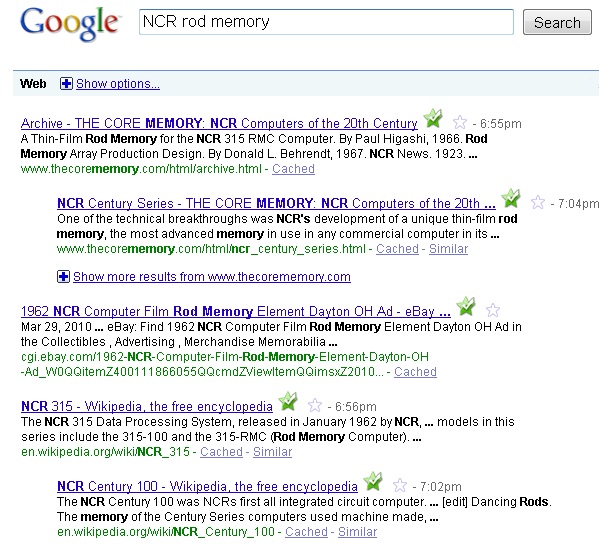
Google search results for 'NCR rod memory'
Inside our NCR Paperweight we see that a unique set of items are present; the rod memory, read write head, and a Texas Instrument IC chip in DIP packaging.
An Internet search for the term "NCR rod memory" alone yields enough results to point us in the direction of either the NCR 315 computer or Century 100 computer. (remember the Century logo clue we first observed?)
Comparing both of these computers features by searching information on each using the internet we determine that the NCR Century 100 was their first computer to use Integrated Circuits, the earlier NCR 315 computer used Transistor-Resistor logic.
Since our Paperweight has two examples of early DIP type of Integrated Circuit Packaging we can reason that this paperweight was from the era of the Century Computer to promoting this new technology.
* When searching the Internet using search engines, be sure to search using both "the web" and "images" options.

|
|
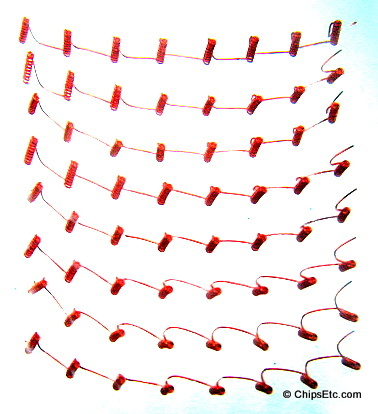
NCR Magnetic Core Memory
|
|
4. Search internet for scans of old printed advertisements
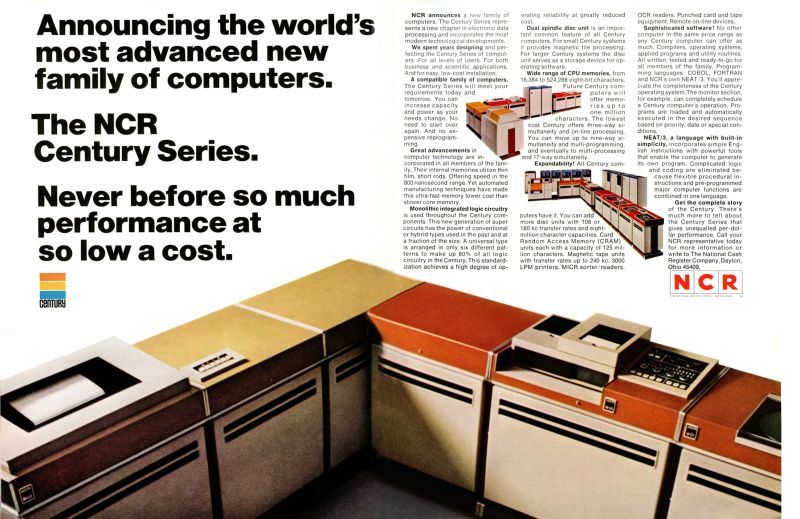
An ad from 1968 shows infomation on the NCR Century Computer
Another way to help narrow down dates is to search for Advertising images on the internet.
When searching the Internet (like Google & Ebay), be sure to search both "the web" and search "images" and use the keyword "Ad" or "advertisement" included with your search keywords.
Many ad images found on the internet still show the dates on the page from the scanning of the original magazine page. (often located on the bottom of the magazine page). Another source for viewing images of old advertisements is Ebay since there are sellers who list vintage magazine advertisements for sale.
The image above shows an ad from 1968 from NCR showcasing their new Century series of computer technologies, and the ad mentions their Rod memory technology. A search for ads from 1966 & 1967 doesn't show any similar ads so we can deduce that 1968 was the year these technology's were first introduced to the public. This is when salesman would have been busy promoting their exciting new computer technology, using our memorabilia item.
When searching the Internet (like Google & Ebay), be sure to search both "the web" and search "images" and use the keyword "Ad" or "advertisement" included with your search keywords.
Many ad images found on the internet still show the dates on the page from the scanning of the original magazine page. (often located on the bottom of the magazine page). Another source for viewing images of old advertisements is Ebay since there are sellers who list vintage magazine advertisements for sale.
The image above shows an ad from 1968 from NCR showcasing their new Century series of computer technologies, and the ad mentions their Rod memory technology. A search for ads from 1966 & 1967 doesn't show any similar ads so we can deduce that 1968 was the year these technology's were first introduced to the public. This is when salesman would have been busy promoting their exciting new computer technology, using our memorabilia item.

|
|
 NCR AD from 1964 does mention 'Memory Rods', but the Computer is the model 315, before the Century Computer was released |
 NCR AD from 1970 that mentions Rod Memory & Century Computers (note date on Left bottom of Ad) |
5. Narrow down dates by changes in the Company's logo

Corporate Logo changes can help narrow down dates of manufacture
Searching the Internet for images of "NCR logo" we observe that the Logos seen on their Ads have changed over the years. This can also be helpful for pinpointing the date of your item if it has the Logo on it.
Our NCR logo example shows that the piece matches the logo design for NCR seen during the years 1963 to 1971 when the NCR logo had clear box around the letters before it changed in 1971 to solid red around each letter. This information helps narrow the piece down to a possible 8 year window.
Our NCR logo example shows that the piece matches the logo design for NCR seen during the years 1963 to 1971 when the NCR logo had clear box around the letters before it changed in 1971 to solid red around each letter. This information helps narrow the piece down to a possible 8 year window.


|
|
So, after doing some research we can finally conclude that
our NCR Computer Chip Paperweight example dates back to the year: